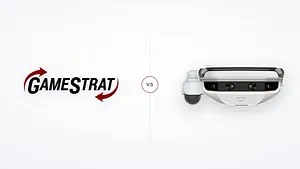

GameStrat vs. Hudl Focus Replay: Which Sideline Replay Actually Works Every Game?
What high school and college football coaches need to know in 2026. Comparison for programs deciding how to handle sideline replay, from the company that powers replay for 88 D1 FCS programs, nearly 70% of the division, and over 1,000 programs nationwide.
The short version
- They are built opposite ways. Hudl Focus Replay is cloud-based and, in theory, needs a solid internet connection at the venue for every clip. GameStrat records locally on its own private network and needs no internet at all.
- Away games are the catch. Focus Replay works at home, and at away venues that have their own Hudl Focus camera. If the field you are visiting does not have one, there is no replay, and Hudl's own FAQ points you to a Hudl Sideline kit for those games. On the road, you are depending on what the other team has installed.
- It is a new product on a new camera. Focus Replay pairs a new cloud workflow with a new auto-tracking end zone camera, and Hudl still labels it a beta for Fall 2026. New is not the same as proven on game day, and early reviews are mixed:
The views form these new @Hudl End Zone cameras are just killing! Seeming to have a hard time locating the play and following the action...... pic.twitter.com/wDXkLrUV1I
— Coach Tackmann (@coach_tack) September 12, 2026
- GameStrat is one system for every game. Home, away, neutral site, championship venue. Both angles synced on every iPad the instant the play ends, backed by football people who pick up when kickoff is minutes away.
- You do not have to choose between GameStrat and Hudl. Keep Hudl for film exchange. Use GameStrat for sideline replay. They run side by side.
Works better with the Focus cam than Sideline. https://t.co/yaSMwVOYXD
— Andy Bartsch (@CoachBartsch) June 17, 2026
In the fall of 2025, Hudl launched a new product called Focus Replay, a cloud-based replay tool built into the Hudl app. It runs inside the app you already use, it runs off a Hudl Focus camera a lot of schools already own, and it is free this season for Focus teams, which Hudl still labels a beta for Fall 2026.
If you are a high school or college program weighing Focus Replay against GameStrat, the decision comes down to one thing most marketing pages skip right past: how the video actually gets to your coaches' iPads, what it depends on to get there, and how much of that path you actually control on game day.
Where Focus Replay fits in Hudl's lineup
Hudl is positioning Focus Replay as the replacement for hardware-based replay. Their own launch post describes it as "not just replacing hardware," and it is built around Hudl's new automatic end zone camera. Both the cloud workflow and the camera are new this season. That is worth knowing if you are choosing a replay system for the next few seasons: you are deciding whether to put your end zone angle on a product that is still early.
From the replies to Coach Tackmann's post above:
So we aren’t the only ones, apparently.
— Anthony DeJager (@ant_dejag) September 12, 2026
Missed 23 plays last week. 🤷♂️ pic.twitter.com/AlA4bsNBcS
All game pic.twitter.com/zaw7YBB7WH
— Eric Preszler (@EricPreszler) September 13, 2026
The part that matters most on game day
Focus Replay is cloud-based. Every clip the camera records has to travel up to Hudl's servers over the internet, then back down to your iPad over the internet, before anyone can watch it. In a quiet room with a strong connection, that works. In a packed stadium with thousands of people on their phones and venue WiFi that was never built for that load, or out at a rural away game where cell coverage is thin to begin with, the connection your iPads need is not guaranteed.
Hudl's own setup requirements call for a stable internet connection of at least 15 Mbps upload per camera. If a venue has a wired connection, hitting that number is not the hard part. The hard part is everything around it. For one, it assumes the venue has a usable network and internet at all, which plenty of fields, especially on the road, do not. And that 15 Mbps only covers pushing video up to the cloud. Getting it back down to your iPads is a separate question: every iPad you run, across the field on the opposite sideline and up in your booth, needs its own reliable WiFi or cellular connection to pull each clip. On the road, that means leaning on the other team's WiFi or on cell coverage in a packed stadium.
GameStrat takes the venue out of the equation entirely. It does not touch the internet during a game, and it does not rely on the stadium's network at all, the two things Focus Replay depends on completely. The system builds its own private wireless network from hardware you bring to every game. Video goes from the camera, to the router, to every coach's iPad, inside that closed network. No cloud. No stadium WiFi. No dependency on anything at the venue. You bring your own connection.
Away games, and Hudl Sideline is still the fallback
Focus Replay works where there is a Hudl Focus camera recording your game. At home, that is your own camera. On the road, it depends entirely on whether the host school has one installed and also what their WiFi situation looks like. If they do not have one or if there isn't sufficient WiFi, there is no replay, and Hudl's own Focus Point FAQ points you back to a Hudl Sideline kit for those games. (Hudl's Focus Point FAQ)
A program that goes all-in on Focus Replay can end up running two different workflows: a cloud product at home, and a Sideline kit on the road.
It gets thinner in big stadiums. Hudl's own large-stadium documentation lays out the extra networking it takes to run their system in larger venues, and the limits of doing it, with the end zone angle being the exact thing that tends to suffer. (Hudl's large-stadium setup guidance.)
GameStrat is one system. The same kit you run at home travels in a case and works identically anywhere, because it never needed the venue's network in the first place. One workflow, every game, both angles. North Central College, one of the premier programs in all of Division III football and a national champion, put it this way after switching: "We had reliable film every week, at home and on the road."
How they compare, side by side
Cameras: use what you already own
This is one of the bigger practical differences. GameStrat works with just about any camera that can put out a video feed: HDMI, SDI, RTSP and RTMP feeds, Pixellot cameras, PTZ cameras, and both Hudl Focus models. You can run a press box camera and an end zone camera at the same time, with both angles synced on every iPad.
If your stadium already has a Hudl Focus, you are not stuck. GameStrat connects to the original outdoor Hudl Focus for your press box angle, and to the new Hudl Focus LR Point for your end zone angle. It takes one Ethernet cable from the camera's accessory port into the GameStrat router, the same port Hudl Sideline uses, so nothing about your camera setup has to change. (Full details on Hudl Focus compatibility.)
Focus Replay, by contrast, only works off Hudl Focus cameras. If you run any other end zone camera, it does not factor in.
What coaches are actually saying
You do not have to take our word for any of this. Here is what coaches post publicly, unprompted, when other coaches ask which system to trust.
Switched to @GameStrat week 10 last season. Most reliable sideline replay option we’ve ever had. Zero issues at all. Hudl Sideline gave us issues weekly, for 7+ years.
— Coach Hodge (@brycehodge9) April 9, 2026
I've used both - and we switched to GameStrat this past year, never had anything better.
— Nick Johnson (@CoachJohnson50) May 9, 2026
In order I'd say
1st: GameStrat
2nd: Sky Coach
Somewhere between 3 and 100: Hudl
Support when it matters most
When your end zone feed drops at 6:55 and kickoff is at 7:00, you do not need a support ticket. You need someone who picks up, knows exactly what you are looking at, and fixes it before the anthem ends.
That is where being run by football people matters. On Thursday, Friday, and Saturday nights all season, the GameStrat team is live on a shared Zoom, backing each other up. They know a call at 6:45 means kickoff is minutes away, they stay calm under it, and they do not stop until it is fixed. It is people who have stood on a sideline and understand exactly what is at stake when the clock is running.
@GameStrat! Unbelievable customer service and easy game day set up. Called with an issue at 6:57 and had it fixed by 7:00. Never missed a play. Been with them ever since!
— Jackson Hanson (@CoachHansonII) May 9, 2026
Week 1 of the 2024 season, an FCS program using GameStrat for the first time called in 10 minutes before kickoff with no video signal in the end zone. One of our team members got the video coordinator in the press box and the student manager in the end zone on the same Zoom, walked them both through the fix at once, and had them running before the opening whistle. It worked flawlessly the rest of the game.
You do not have to choose between GameStrat and Hudl
This is the part coaches miss most. Most of our 1,000+ programs kept Hudl for film exchange, breakdown, and recruiting, and they use GameStrat for sideline replay. The two run side by side, and after the game your video and tag data export right back into Hudl, same night, with matching clip numbers, so your film workflow does not change.
And if you have a Hudl Focus camera, GameStrat connects to it, one Ethernet cable from the accessory port, the same way Hudl Sideline does. You keep your Focus, you get our system, no infrastructure changes.
Who should pick what
Focus Replay might be the right call if: you already own a Hudl Focus camera, most of your replay needs are at home, you are comfortable relying on the venue's internet during games, and you are fine keeping a Hudl Sideline kit for the road. If that matches your situation, it is a low-effort way to get started.
GameStrat is the right call if: you need replay that works every single game, home, away,
neutral site, championship venue, with no dependence on stadium WiFi or cell signal; you
want both angles synced on every iPad the instant the play ends; you want to use the
cameras you already own; and you want football people on the other end of the phone when
something goes wrong five minutes before kickoff, people who understand the urgency and
have the expertise to fix it as fast as humanly possible.
The offseason is the time to sort this out, so you are not troubleshooting your replay system in Week 1.
A 30-minute demo shows you exactly what your coaches see on their iPads the moment a play ends. No waiting, no switching tabs, both angles already there.
Previous Post
Missouri Valley Football Conference Extends GameStrat Partnership Through 2030
Missouri Valley Football Conference Extends GameStrat Partnership Through 2030
The Missouri Valley Football Conference has extended its partnership with GameStrat through 2030. GameStrat will remain the exclusive provider of sideline replay technology for all nine MVFC football programs.
Aug 5, 2026Next Post

United Athletic Conference Extends GameStrat Partnership Through 2030
United Athletic Conference Extends GameStrat Partnership Through 2030
The United Athletic Conference has extended its partnership with GameStrat through 2030. GameStrat will remain the exclusive provider of sideline replay technology for all eight UAC Sports football programs. The United Athletic Conference is the second conference in 2026 to extend with GameStrat for 5 more seasons.
Oct 18, 2026