The Sideline Replay System
That Actually Works
1,000+ football programs switched because they were tired of their system failing on game day. We built the one that doesn't.
70% of FCS • 100+ D3 Programs • 1,000+ Teams Nationwide Request a Demo
If It Works at the Highest Level,
It Works for Your Program.
In 2024 and 2025, every team that played for the FCS National Championship had GameStrat on their sideline. Both finalists, both years. Along with 85+ other FCS programs across the country.
FCS NATIONAL CHAMPIONSHIP | BOTH FINALISTS | TWO YEARS RUNNING


Also used when FCS programs travel to play at FBS venues, including games at stadiums with 100,000+ fans.
FCS Conferences


D3 Conferences


It Works. Every Game.
Battle-tested in 100K-seat stadiums and Friday night lights.
Clips in Seconds
No buffering. No download times. Every angle on every iPad the moment the play ends.
Both Angles, Perfectly Synced
Flip between press box and end zone without missing a frame.
Works Anywhere
No stadium WiFi needed. Private network anywhere.
Game-Day Support
A real person picks up. On game day.
“My biggest regret is that I did not switch over sooner. I had purchased Sportscope but it did not live up to expectations, so I called GameStrat. Delivery was quick, we were quick to get it set up, and everything worked perfectly from there”
Coach Stevin Scott St. Thomas Aquinas, FL
“GameStrat was easy to setup and easy to use. The reliability was probably my number one difference from systems we've used in the past - we went a full season with everything working.”
HC Jon Ellinghouse Sierra Canyon, CA
“The sideline replay system we were using before was miserable. We decided to make the switch to GameStrat and it's been great for us.”
HC Steve Specht St. Xavier, OH
“There is no comparison to Hudl Sideline really. My experience with GameStrat has been perfect. We've had no issues and all the coaches love it. We just want a system that works, and it works, it works the whole game, the coaches are able to do what they need to do and there are no issues.”
Coach William Morris St. Joseph's Prep, PA
“GameStrat has definitely exceeded my expectations in the first year. With Hudl Sideline it would sometimes take up to 15 seconds to get the clips. GameStrat has been much better in that regard.”
HC Adam Tolar McCallie, TN
“We did a lot of research into who we would partner with for our sideline film for coaches. I'm glad that our review led us to GameStrat. It did not disappoint. We had reliable film every week, at home and on the road.”
HC Brad Spencer North Central College, IL
Zero Delays. Every Angle on Every iPad, Fully Synchronized.
The moment a play ends, every clip is on every iPad. Press box. End zone. Both angles, same timestamp. No waiting, no switching tabs, no buffering.
Every coach. Every iPad. Every play. Automatically.


Built for the Pressure of Game Day
1,000+ programs across the country
From FCS national championships to Friday night lights, GameStrat is the sideline replay system football programs trust when it matters most. The same system that runs at your home field works identically on the road. Clips download locally, so your iPads work offline in the locker room at halftime, on the bus, wherever you need them.
Custom Tagging & Advanced Analytics
Tag plays using your own terminology, instantly filter what matters most, and generate advanced reports in real-time, all linked to your in-game video. Available as a paid add-on for Pro and Premium packages.

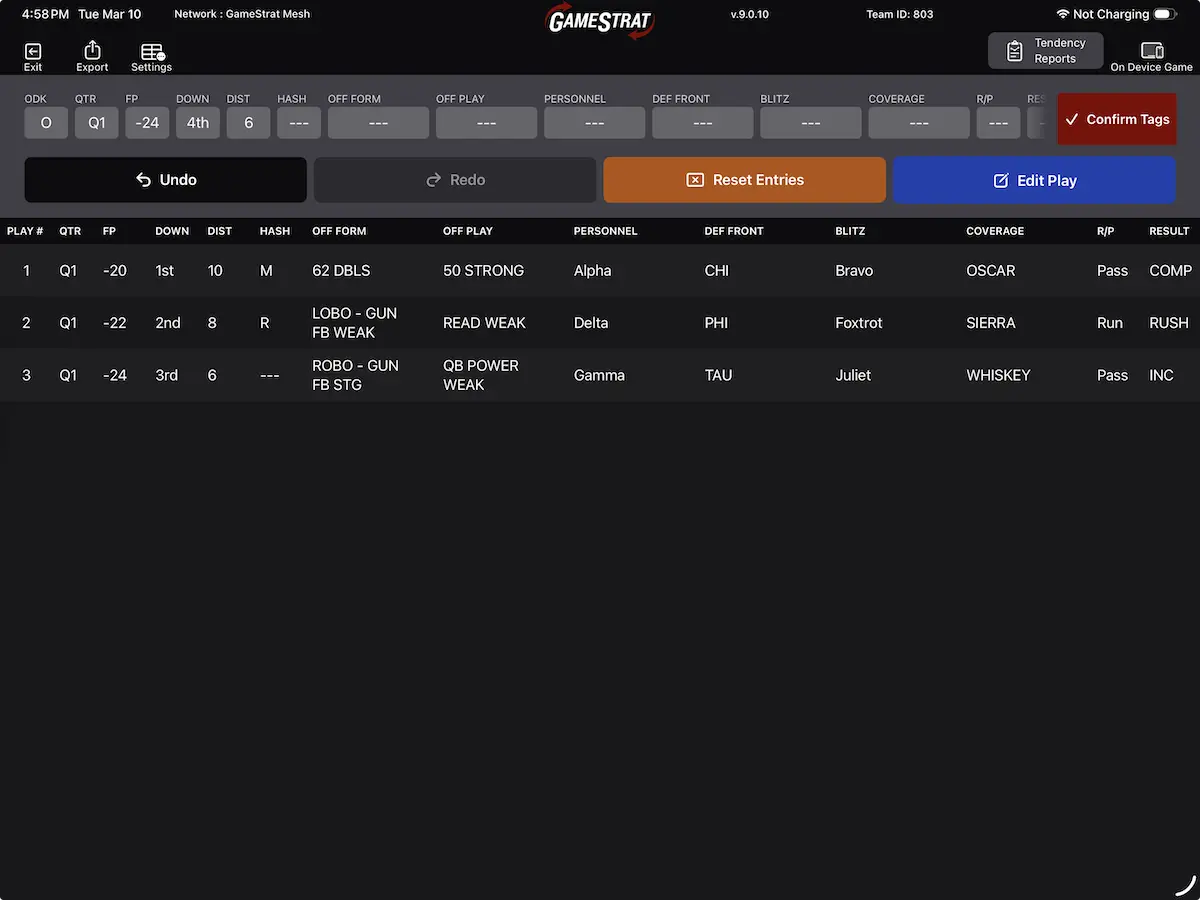
Custom Tagging
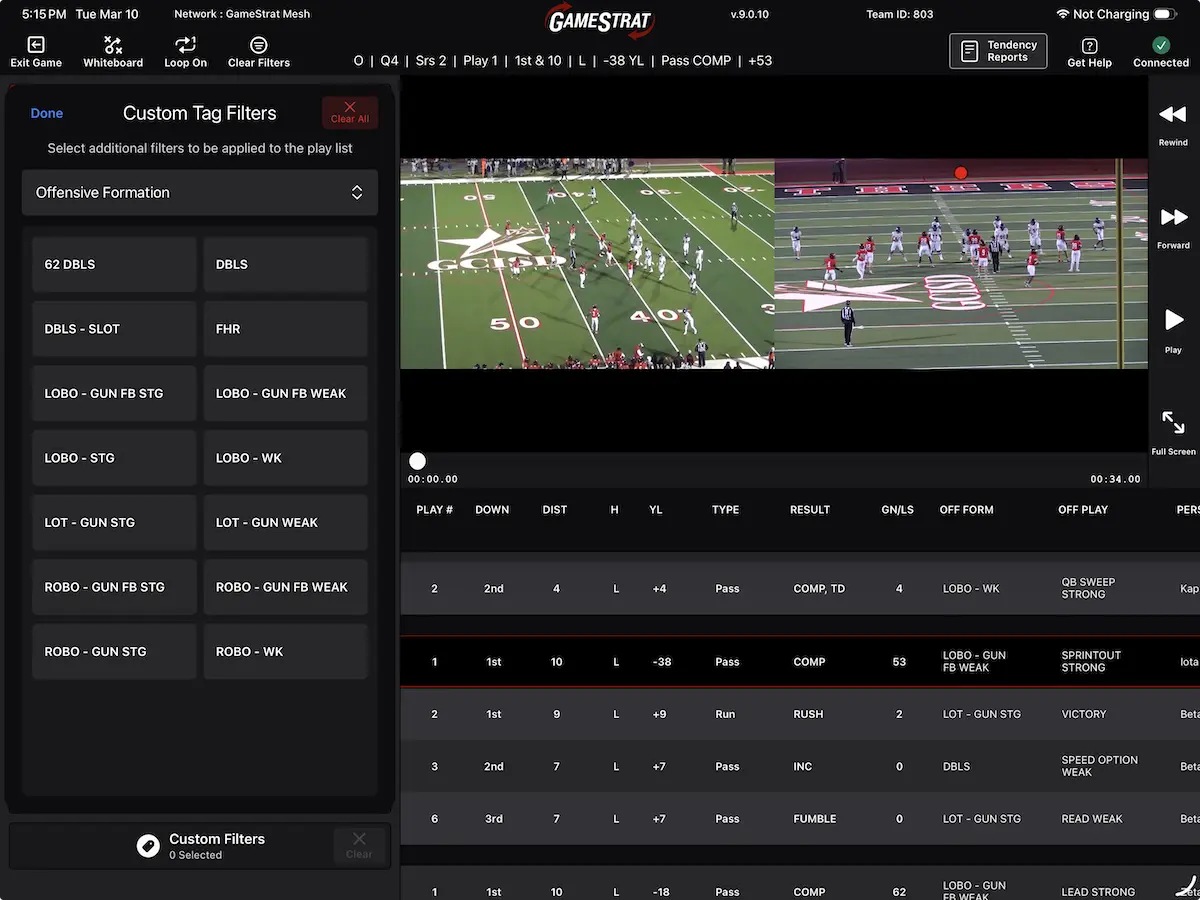
Instant Filtering
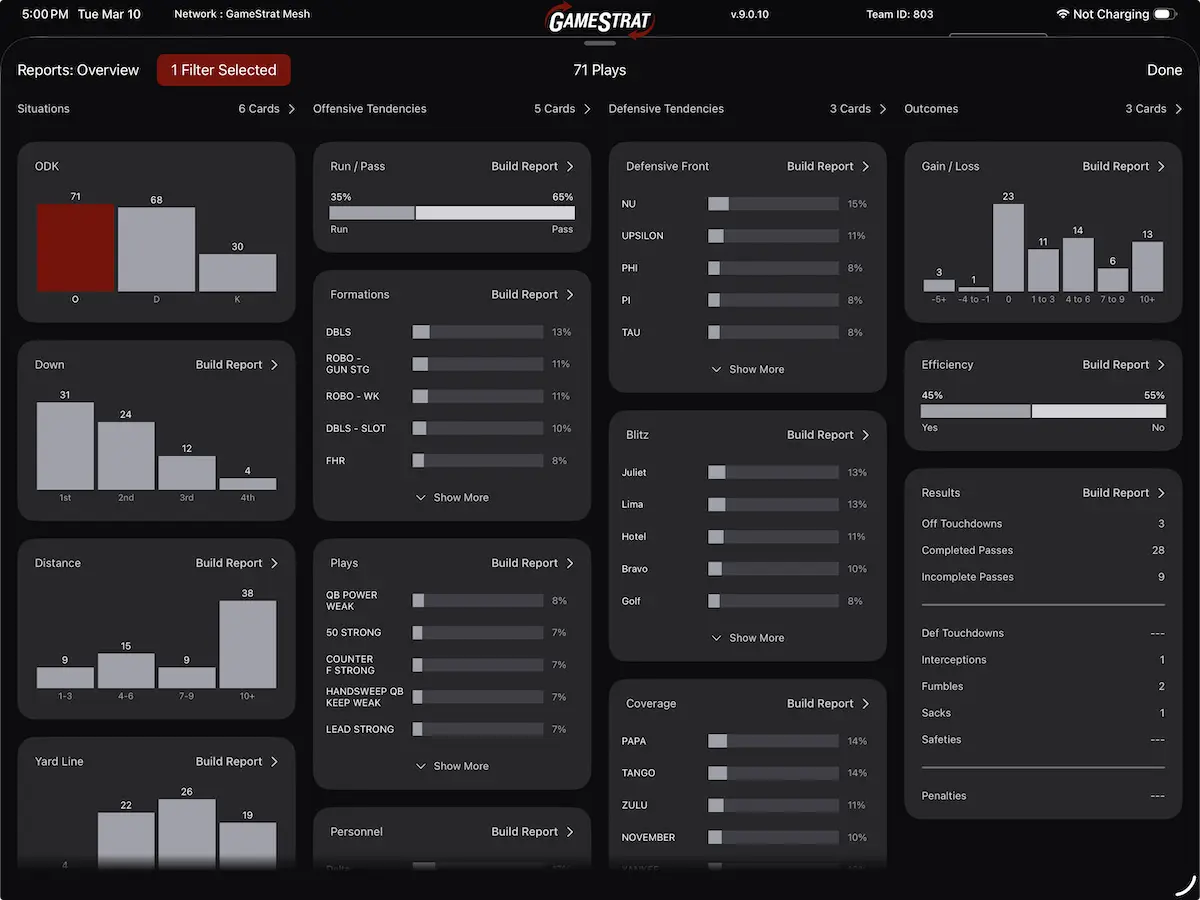
Advanced Reports
Already Paying for Hudl Sideline?
You're not alone. Most of our 1,000+ teams switched from Hudl Sideline. See why, and how easy it is to switch.
See the ComparisonPricing
All packages require a one-time hardware purchase. Season price is recurring. Pro and Premium cover high school through D2, D3, and NAIA. If your end zone camera films from field level, you are in the right place. The Stadium package is for large bowl venues where the end zone setup sits at an elevated level. Not sure which fits your setup? We will figure it out on the call.
Request a DemoFAQ
-
How does GameStrat compare to Hudl Sideline?
GameStrat was built specifically for in-game video replay. Clips transfer instantly to every iPad for all angles simultaneously. There's no waiting 2-3 series for a play to load, no switching tabs to reload your end zone view, and no losing connection when the stadium fills up. GameStrat runs on its own private wireless network, so stadium WiFi and cell phone interference don't affect your system. Over 1,000 programs have switched from Hudl Sideline to GameStrat. Most coaches keep Hudl for film exchange and use GameStrat for in-game replay. The two systems work side by side. -
Does GameStrat work with Hudl Focus cameras?
Yes. GameStrat is fully compatible with Hudl Focus and Pixellot cameras. You can use your existing Hudl Focus camera in the press box and connect it directly to the GameStrat system via HDMI. There's no need to purchase new cameras. After the game, you can export all video and breakdown data directly into Hudl, DVSport, or Catapult. -
Can I use it in the locker room at halftime?
Yes. Every clip is downloaded and stored locally on each iPad as it comes in during the game. When coaches walk into the locker room at halftime and disconnect from the GameStrat network, all video is still available offline on the iPad. You can plug into a TV via HDMI and review film with the full team. No reconnection needed, no buffering, no signal issues. With other systems, many coaches report having to walk outside and stand near the field just to get a connection. -
What iPads do I need? How many can connect?
GameStrat works with any iPad running iOS 15.6 or later. You supply your own iPads. Up to 40 iPads can connect to a single GameStrat system at once. Every iPad gets every angle, fully synchronized. There's no need for separate iPads for sideline view vs. end zone view like with some other systems. -
What happens if something goes wrong during a game?
Call us. GameStrat has live game-day phone support during football season staffed by our own in-house team, not outsourced call centers. Every person on our support team understands football, knows the pressure of game day, and understands the urgency when something needs to be fixed between series. We can also join via Zoom during your game to troubleshoot in real time. With most other systems, you're submitting a ticket or waiting on hold with an outsourced support team that has no idea what's happening on your sideline. Our support number is 1-800-783-1968. -
How long does setup take? Who operates it?
Setup takes about 10 minutes. One person can run the entire system on game day. It's designed so a student manager, graduate assistant, or volunteer can operate it. You plug the GameStrat box into power, connect it to your laptop, connect your cameras, and open the app. The system creates its own wireless network automatically. -
Does it need stadium WiFi or internet access?
No. GameStrat creates its own private wireless network using the networking equipment included with your package. It works at any stadium, home or away, without relying on existing WiFi, cell service, or stadium infrastructure. This is why it performs the same in a 500-seat stadium as it does in a 100,000-seat college stadium. -
What cameras can I use?
GameStrat is compatible with any camera that has an HDMI or SDI output. This includes Hudl Focus, Pixellot, and any standard camcorder. You can use your existing cameras. Many programs use one camera in the press box and one at the end zone for two-angle coverage. -
How does the video get to Hudl after the game?
Once the game ends, you can export all video and tagged breakdown data from GameStrat directly into Hudl, DVSport, or Catapult. The export takes a few minutes. Your coaching staff can start their film breakdown the same night without re-uploading or re-tagging anything. -
Does it work at away games?
Yes. Because GameStrat creates its own private wireless network, it works at any stadium without relying on existing WiFi or infrastructure. The entire system travels in carrying cases. One person can set it up in an unfamiliar press box in about 10 minutes. The same system you use at home works identically on the road, whether that's a 500-seat stadium or a 100,000-seat college venue. -
What's the contract length?
GameStrat offers flexible contract terms to fit your program's needs. All packages include a one-time hardware fee plus a recurring season subscription. Contact us or request a demo to discuss the options available for your program.
GameStrat also powers instant replay for Defense & Law Enforcement training environments.
Learn More